How to Install a Modpack and Join a Server
Our modpacks will not run on the standard Minecraft launcher. Install Prism Launcher or CurseForge, then add any BacoNetworks server in a few steps.
Our modpacks will not run on the standard Minecraft launcher. Install Prism Launcher or CurseForge, then add any BacoNetworks server in a few steps.
If you have tried to join one of our servers from the launcher Minecraft came with and it did not work, nothing is wrong with your account or with the server. Modded Minecraft needs a launcher that can install and run modpacks, and the standard launcher cannot do it. That is the whole problem, and it takes about ten minutes to fix.
This guide covers the lot: picking a launcher, installing it, signing in, installing the pack, giving it enough memory, and joining the server. You only need to read the half that matches the launcher you choose.
Which launcher should you use?
Either works on every BacoNetworks server. Pick one. You do not need both.
Prism Launcher | CurseForge Launcher | |
|---|---|---|
Best for | Keeping it simple and light | Browsing and trying lots of packs |
Cost | Free, open source | Free |
Extras | None. It installs packs and runs them | Pack search, other games too |
Installing a pack | Quicker, and reliable | Slower, and sometimes installs incompletely |
Account needed | Microsoft only | Microsoft, and optionally a CurseForge account |
We recommend Prism, and the reason is practical rather than a preference. It installs packs faster, and it installs them properly. CurseForge fairly often produces an installation that looks finished but is incomplete, and the pack then crashes on load or refuses to connect. Reinstalling the pack is the fix, and walking somebody through that is the single most common thing our support gets asked. Prism is also as barebones and resource light as they come.
None of which makes CurseForge a bad choice. It is easier to search in, it handles games other than Minecraft, and plenty of our players use it without ever hitting the problem. If you already use it, carry on.
How to install Prism Launcher
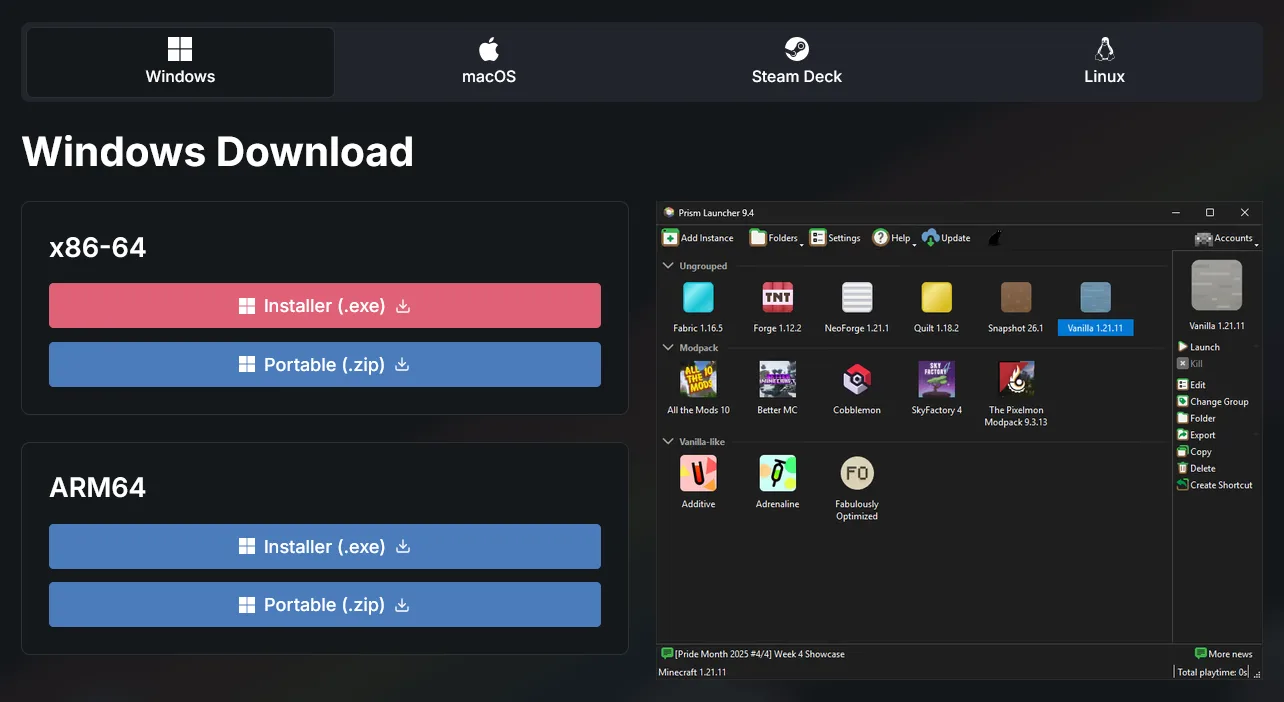
- Download it from the Prism Launcher download page.
- Pick the tab that matches your computer: Windows, macOS, Steam Deck or Linux.
- On Windows, almost everyone wants the x86-64 installer. Only choose ARM64 if you know for a fact your machine has an ARM processor. This is rare, and you would know.
- Run the installer and follow the prompts.
Signing in to Prism Launcher
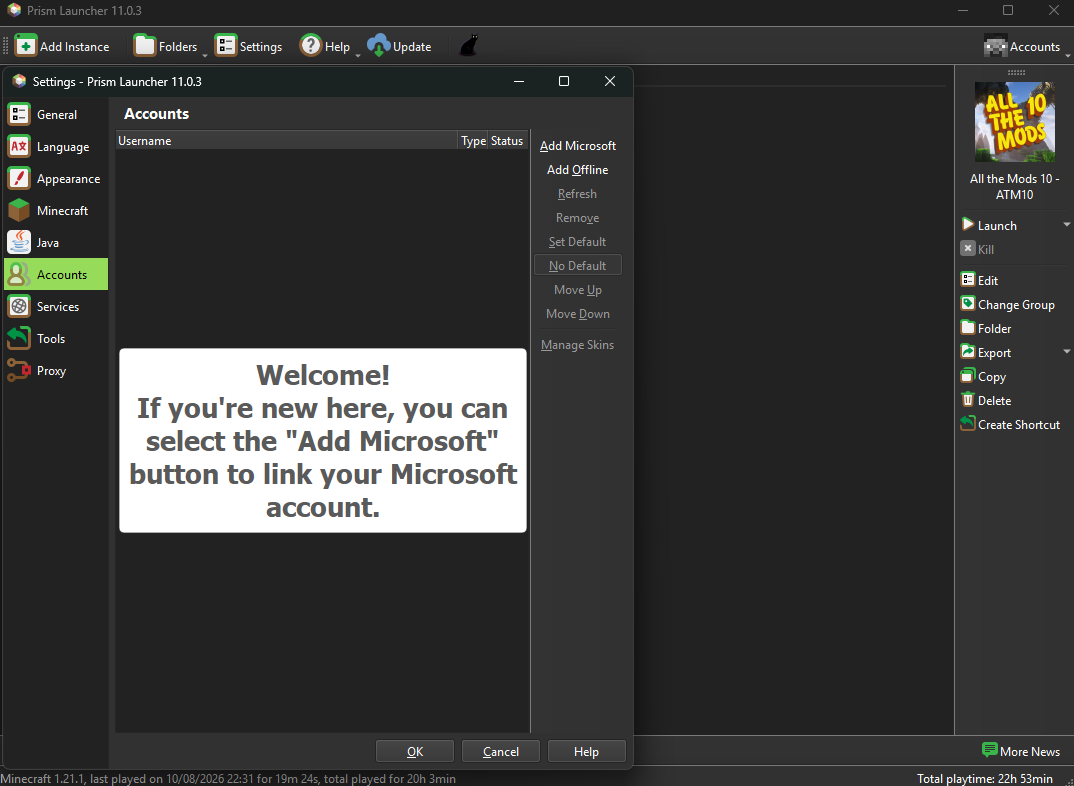
- Open Prism Launcher, click Accounts in the top right, then Manage Accounts.
- Select Add Microsoft, then Sign in with Microsoft.
- A browser tab opens. Follow the login prompts and allow Prism access.
- You should now see your account name in the top right, along with your Java Minecraft skin. If your Microsoft account is linked to Xbox you will see your Gamertag instead.
Prism only uses your account to log in to Mojang's authentication server and prove you own Minecraft. It does not use your details for anything else.
How to install CurseForge
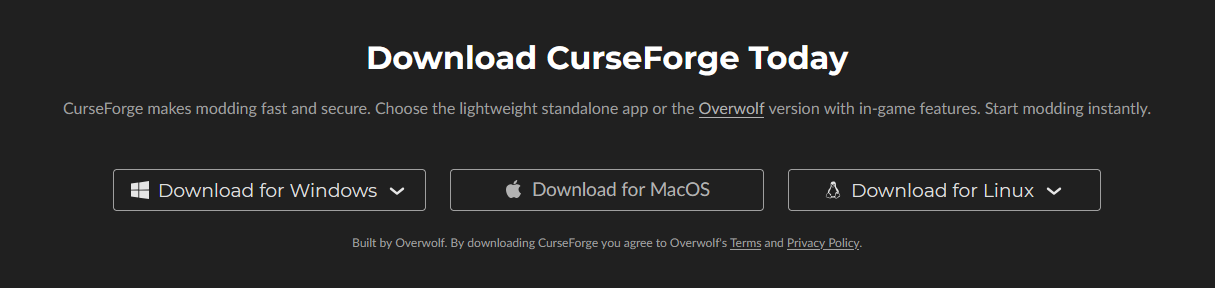
- Download it from the CurseForge download page.
- Choose your operating system. We strongly recommend the standalone app. If you already use Overwolf, take that version instead.
- Run the installer and follow the prompts.
Signing in to CurseForge
- Open the launcher and either create a CurseForge account or continue as a guest.
- An account lets you launch Minecraft straight from CurseForge without running the standard launcher alongside it, and it tracks your session logs and how long you have played each pack.
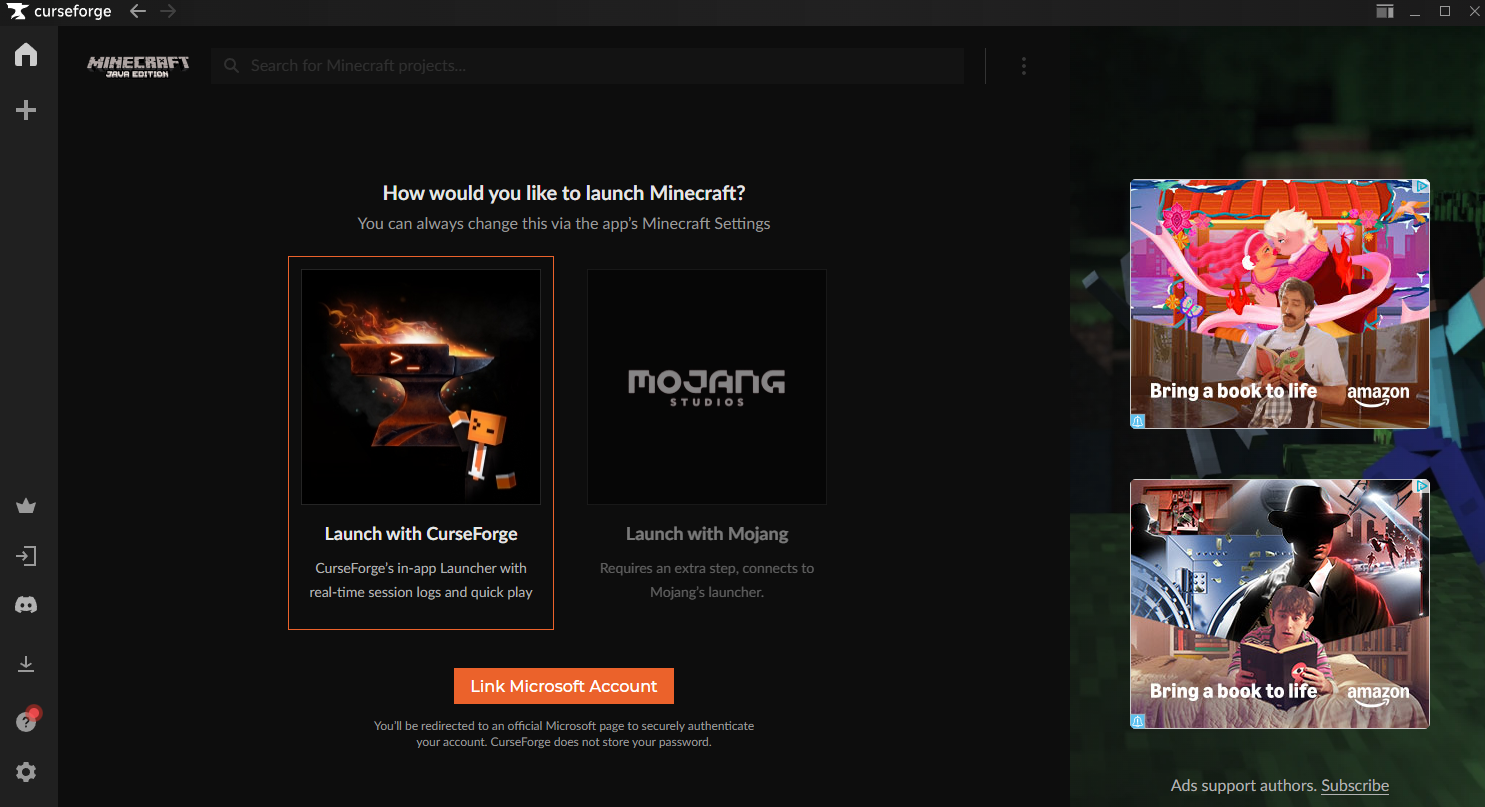
- Click Minecraft under Choose a Game, or use the + icon on the left to add Minecraft: Java Edition. Install the Standard (Recommended) edition.
- Choose Launcher with CurseForge, then Link Microsoft Account, and sign in with the Microsoft account that owns the game.
Which modpack should you play?
We run six packs. If you are new to modded Minecraft, All the Mods 10 is the usual starting point. There is more detail on each one on its own page, and Choosing the Right Modpack goes through the differences properly.
Flagship packs
- All the Mods 11 is not open yet. There is no date for it, and we will announce it on its pack page and in Discord when there is.
- All the Mods 10 is a kitchen sink pack with over 500 mods in it. Thousands of new items, a full quest line, and an endgame chase for the ATM Star. Build a massive factory, build a wizard tower, or go looking for the Star.
- All the Mods 10: To the Sky is the same pack as a skyblock. You start on a small floating island and grow it into a land of power and magic.
- All the Mons is All the Mods 10 plus Cobblemon, adding over 1,000 Mons. It has the ATM Star and the regional Pika Stars, a Pokemon-based endgame that unlocks legendary and mythical Mons.
Legacy packs
Older versions of Minecraft, far less demanding on your machine. We keep them running but we do not fully support them.
- SkyFactory 4 is a classic of modded Minecraft and our longest running server. You start on a floating island and build an industrial empire out of almost nothing.
- StoneBlock 2 is skyblock in reverse. Instead of empty sky you start in a small cave, surrounded by stone, and dig your way out.
How to install a modpack
Check the version before you install
Joining with the wrong pack version is the single most common reason a connection fails. We do not always run the newest release: we test each update and usually move within three days of it landing, so the newest version on CurseForge is often not the one to install. The versions we are running are in the table further down, and every pack page carries the same figure.
In Prism Launcher
- Click Add Instance in the top left.
- Choose CurseForge in the left sidebar and search for the pack you want.
- Check you have the right pack and the right version. The All the Mods banners look very similar to one another, so read the name rather than going by the artwork.
- When the instance has finished installing, select it and click Launch.
In CurseForge
- Open the launcher, select Minecraft, then Browse Modpacks.
- Search for the pack you want.
- Check you have the right pack and the right version, for the same reason as above.
- Once it has downloaded, click Play.
If a CurseForge pack crashes on load or will not connect, reinstall it
CurseForge installations sometimes finish without actually completing, and there is no error to tell you so. Delete the pack in the launcher and install it again before troubleshooting anything else. This fixes it far more often than not, and it is the first thing we would ask you to try.
How much RAM does modded Minecraft need?
This step matters more than people expect. Modded Minecraft is demanding, but not in the way modern games usually are: it wants memory rather than graphics power. Most launchers do not detect how much your machine has, so the figure is yours to set.
Allocate between 8GB (8128MB) and 12GB (12000MB). 10GB (10240MB) is comfortable for most systems if you can spare it.
Do not give the game everything you have. Your operating system and your browser still need their share, and a machine with nothing left over will stutter worse than one running the game on less.
- Prism Launcher: right-click your instance, select Edit, then Settings, and tick the memory box to set your own figure.
- CurseForge: open Settings, then Minecraft, then Java, and drag the allocated memory slider.
If the game still runs badly once memory is sorted, Reducing Lag and FPS Drops covers what to try next.
How to join a BacoNetworks server
- Launch your pack and wait for the main menu.
- The first launch takes a while, because the game is generating files it needs. Ten minutes is not unusual. Do not touch the window while it loads. If you click it, your machine may decide the program is not responding and close it. It is not stuck, it is meant to take that long. Every launch after the first is much quicker.
- Click Multiplayer, then Add Server.
- Name it whatever you like, and enter the address for the pack you installed.
Pack | Version We Run | Server Address |
|---|---|---|
All the Mods 10 Server | 8.6 | atm10.baconetworks.com |
All the Mods 10: To the Sky Server | 2.3.1 | atm10sky.baconetworks.com |
All the Mons Server | 2.1.0 | atmons.baconetworks.com |
SkyFactory 4 Server | 4.2.4 | sf4.baconetworks.com |
StoneBlock 2 Server | 1.16.1 | sb2.baconetworks.com |
All the Mods 11 Server | N/A | Not open yet, so there is no address to add |
Why will the server not connect?
Almost every failed connection is one of four things.
- You are on the wrong version of the pack. This is by far the most common cause. Check the version on the pack page against the one your launcher installed.
- A connection problem, either on your end or ours. Check the pack page, which shows whether the server is up.
- The server is full. Try again shortly.
- The pack did not install cleanly, which happens on CurseForge more than it should. Reinstall the pack from the launcher.
If it is none of those, Fixing Connection Timed Out and Connection Reset Errors goes deeper, and our Discord is the fastest way to get unstuck. Launcher problems are the most common thing we help with and they are usually sorted in a couple of messages.
Where to go next
You are in. A few things worth knowing on day one:
- How to Claim Chunks is the first thing to do, because an unclaimed base is an unprotected one.
- How to Earn and Use BacoBits explains the currency behind claiming and trading.
- How to Vote on BacoNetworks covers the free daily rewards.
Beyond that, follow the guides at spawn and enjoy the game.
Keep Reading
Getting Started
Setup and connect to any BacoNetworks modpack within 5 minutes using our wiki guides.
How to JoinJoin the Community
Chat with players, get support, and stay up to date on every event and update.
Join Discord